IP Security API: Detect VPNs, Proxies, Tor Nodes & Bots for Any IP Address

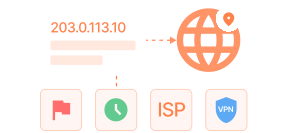
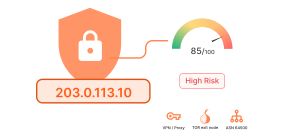
The WhoisFreaks IP Security API checks any IPv4 or IPv6 address against real-time threat intelligence and returns a composite threat score (0–100), VPN/proxy/Tor/bot classification, proxy type and provider name, geolocation down to district level, ASN, and ISP all in a single JSON or XML response. Free tier with 500 credits, no card required.

curl --location --request GET 'https://api.whoisfreaks.com/v1.0/security?apiKey=API_KEY&ip=8.8.8.8'
[
  {
    "ip": "8.8.8.8",
    "security": {
      "threat_score": 0,
      "is_tor": false,
      "is_proxy": false,
      "proxy_type": "",
      "proxy_provider": "",
      "is_anonymous": false,
      "is_known_attacker": false,
      "is_spam": false,
      "is_bot": false,
      "is_cloud_provider": false,
      "cloud_provider": ""
    },
    "location": {
      "continent_code": "NA",
      "continent_name": "North America",
      "country_code2": "US",
      "country_code3": "USA",
      "country_name": "United States",
      "country_name_official": "United States of America",
      "country_capital": "Washington, D.C.",
      "state_prov": "California",
      "state_code": "US-CA",
      "district": "Santa Clara",
      "city": "Mountain View",
      "locality": "Mountain View",
      "accuracy_radius": "",
      "zipcode": "94043-1351",
      "latitude": "37.42240",
      "longitude": "-122.08421",
      "is_eu": false,
      "geoname_id": "6301403",
      "country_emoji": "🇺🇸"
    },
    "country_metadata": {
      "calling_code": "+1",
      "tld": ".us",
      "languages": [
        "en-US",
        "es-US",
        "haw",
        "fr"
      ]
    },
    "network": {
      "asn": {
        "as_number": "AS15169",
        "organization": "Google LLC",
        "country": "US",
        "asn_name": "GOOGLE",
        "type": "BUSINESS",
        "domain": "about.google",
        "date_allocated": "",
        "allocation_status": "assigned",
        "num_of_ipv4_routes": "967",
        "num_of_ipv6_routes": "104",
        "rir": "ARIN"
      },
      "connection_type": "",
      "company": {
        "name": "Google LLC",
        "type": "",
        "domain": ""
      }
    },
    "currency": {
      "code": "USD",
      "name": "US Dollar",
      "symbol": "$"
    }
  }
]
pricing backgroundEclipse Top RightEclipse Top LeftEclipse WHOIS Stats

What is the IP Reputation API?

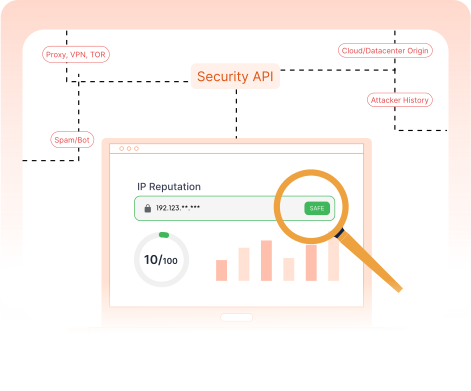
The IP Security API, also known as the IP Reputation API, scores inbound traffic in real time. With a single API call, it determines whether an IP address is routing through a VPN, proxy, Tor exit node, or cloud/datacenter range. It also returns a composite threat score based on known attacker databases, spam lists, and bot behavior signals. This API can be integrated into fraud prevention systems, SIEM pipelines, firewall blocklists, and login authentication flows.

monitoring

What Is the IP Threat Score?

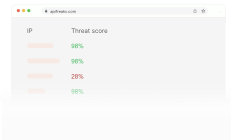
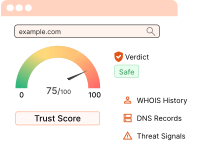
A score between 0 - 100 assigned to an IP address to represent the likelihood that it is associated with malicious activity.

How It Works?

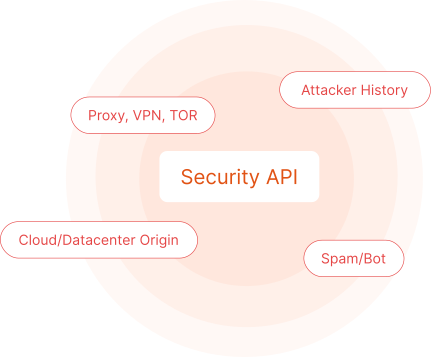
Every IP lookup through the IP Security API returns a threat_score value between 0 and 100. This composite score is calculated using multiple risk signals, including:

  • VPN, proxy, or Tor usage
  • Known attacker history (scanning, brute-force, DDoS)
  • Spam and botnet reputation
  • Bot classification based on behavior and network origin
  • Cloud or datacenter origin (AWS, GCP, Azure)

Recommended Threat Score Thresholds

0–25Low risk. Standard traffic.
26–50Elevated risk. Apply CAPTCHA or rate limiting.
51–75High risk. Require step-up authentication.
76–100Block or reject. Known malicious or anonymizer.
monitoring

Product

Bulk IP Security Lookup

Instantly analyze multiple IPs and domains for security threats at scale.

Bulk IP Security API

Use our Bulk Security Lookup endpoint to perform batch lookup of multiple IPs in one go. One request can have up to 100 IPs. Both IPv4 and IPv6 are supported. The Bulk Security Lookup API delivers well-parsed IP details in both JSON and XML formats, including a comprehensive threat score.

monitoring

Features

What Our Security Solution Offers

Our all-in-one security solution provides everything you need to enhance your security posture and proactively mitigate risks.

Feature icon

Threat Score

Composite threat score flags suspicious IPs by combining VPN, Tor, bot, spam, and other risk signals.

Feature icon

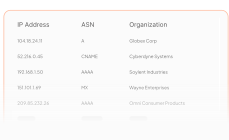
Network Details

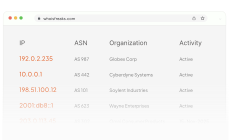
Get an IP’s AS number and organization to identify network provider, possible routes and potential malicious networks.

Feature icon

VPN and Proxy Detection

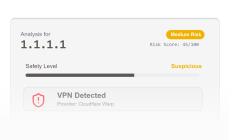
Detect VPNs and proxies in one check, including connection type and provider, to enable informed access and risk decisions.

Feature icon

Supported Formats

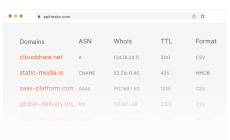
Our system supports CSV and MaxMind (MMDB) formats for fast and efficient geolocation and security lookups.

Feature icon

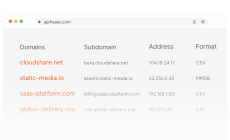
Domains & ASN WHOIS Data

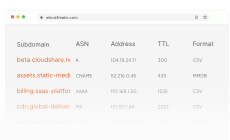
The Security Database provides WHOIS for domains and ASNs, plus subdomains, to support attack-surface mapping.

Feature icon

Domains DNS Data

Includes comprehensive DNS data such as A, AAAA, NS, MX, SOA, SPF, and CNAME records for infrastructure analysis.

Feature icon

IP Intelligence

The Security API provides IP WHOIS, IP-to-ASN, and ISP-to-IP, email, and organization to IP mapping for threat intelligence.

Feature icon

IP to Geolocation

Provides IP-to-precise geolocation mapping to pinpoint a device’s location for security, compliance, and access control.

Product

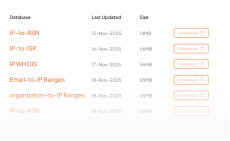
IP Security Database

Offers deep insights to boost security, prevent attacks and mitigate risks.

IP Security Database

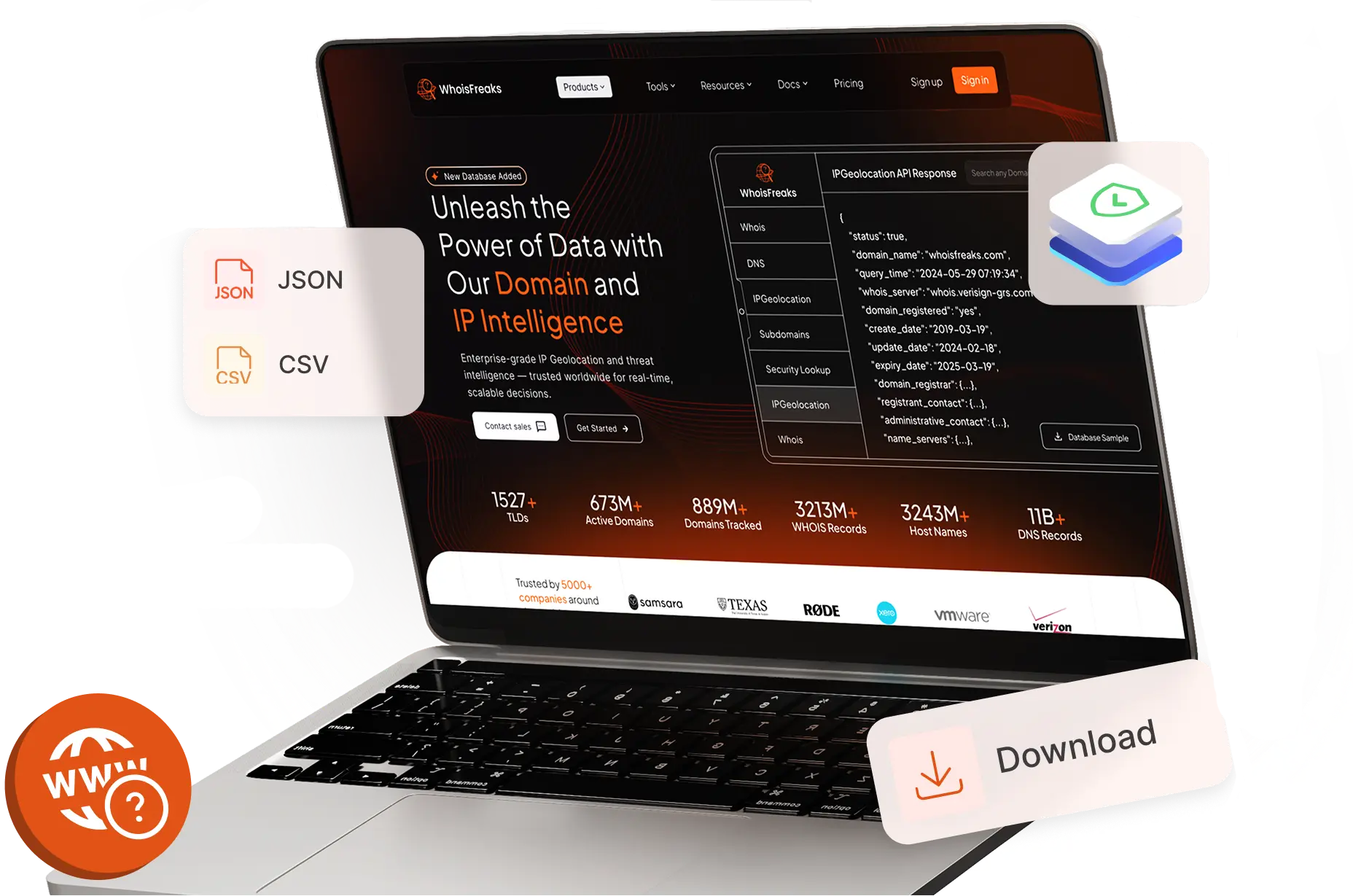
The IP Security Database provides daily full snapshots of IP security data in gzipped CSV format, helping cybersecurity services block malicious IPs and deliver actionable IP intelligence to safeguard digital assets.

monitoring

Use Cases

Security in Action

See how the Security API power real-world threat and anamoly detection.

Feature icon

VPN and Proxy Detection

Fraud Prevention, Ad Traffic Filtering,CAPTCHA Enforcement, Bot Detection.

Feature icon

Network Details (ASN, Org)

Helps in ISP-Based Blocking or Throttling, Network Mapping and Attribution.

Feature icon

Subdomains Data

Attack Surface Management, Phishing Detection, Bug Bounty & Pen Testing.

Feature icon

Risk Assessment

Real-Time Risk Assessment of domains for Firewall Blocking and Threat Intelligence Dashboards.

Feature icon

WHOIS Data

Phishing and Brand Protection, B2B Lead Generation and Security Investigations.

Feature icon

Fraud Prevention

Reject logins / transactions originating from VPNs, Tor exits, known botnets, or proxies.

Request demo background

Start using our Security Lookup API to uncover IP threats and phishing domains, stay ahead of attackers, and mitigate risk.

Integrations

Seamless Integration For Every Workflow

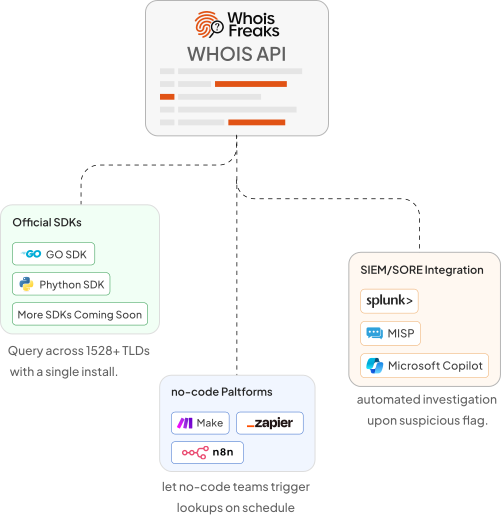
The WhoisFreaks IP Security API ships with official Python and Go SDKs so you can embed VPN detection, Tor classification, and composite threat scoring into any authentication flow, payment gateway, or API gateway with minimal code.

Zapier, Make, and n8n let no-code teams route high-risk IP events to Slack, PagerDuty, or Jira based on threat score thresholds without writing a single line.

Security operations teams integrate it into Splunk, Microsoft Sentinel, Elastic, and SOAR playbooks to automate IP blocking, escalation, and investigation workflows triggered by real-time threat classification.

button

FAQs

FAQs about the IP security API: risk signals and reputation fields

What exactly is cyber threat intelligence?

Threat intelligence in the cyber domain refers to the process of collecting, analyzing, and interpreting data related to potential cyber threats. Today, organizations use this intelligence to anticipate attacks by transforming raw data into actionable insights that help protect against malicious actors. A threat intelligence system works much like a weather alert system providing early warnings in the digital space. It enables organizations to identify threats in advance, understand the intent behind cyberattacks, and take proactive steps to strengthen their defenses.

How does cyber threat intelligence work?

Cyber threat intelligence works by systematically gathering and analyzing data from various sources to identify potential cyber threats and vulnerabilities. The process typically involves four key stages:
  1. Collection: Raw data is gathered from internal sources (like firewalls, logs, and sensors) and external sources (like threat feeds, dark web monitoring, and open-source intelligence).
  2. Processing: The collected data is organized and filtered to remove irrelevant or duplicate information, making it easier to analyze.
  3. Analysis: Security analysts or automated systems examine the processed data to detect patterns, identify potential threats, understand attacker behavior, and assess the level of risk.
  4. Dissemination: The resulting insights are shared with relevant teams or tools (like SIEMs or firewalls) so that appropriate defensive actions can be taken, such as blocking malicious IPs, patching vulnerabilities, or adjusting security policies.
Overall, cyber threat intelligence turns raw information into actionable insights, helping organizations detect threats early, understand attack motives, and improve their security posture.

What is a Proxy?

A proxy server acts as an intermediary between a user's device and the target website. When a user sends a request, it first goes to the proxy server, which then forwards the request to the destination site. The response from the website is sent back through the proxy and finally delivered to the user's device. While it masks the user's original IP address, it typically doesn’t encrypt the data being transmitted. Proxies are commonly used to bypass geo-restrictions or access region-specific content.

What is a VPN and what does it do?

A VPN (Virtual Private Network) is a service that encrypts your internet traffic by creating a secure tunnel between your device and a remote server. This process hides your real IP address and routes your data through the VPN server, making it appear as if you're browsing from a different location. Unlike a proxy, a VPN not only masks your IP and changes your virtual location but also ensures your online activity and sensitive data remain private and protected from prying eyes, offering a higher level of anonymity and security.

What is TOR used for in online privacy?

Tor (The Onion Router) is an open-source network designed to enhance online privacy by offering multiple layers of anonymity. It works by encrypting user requests in several layers and routing them through a random sequence of volunteer-operated servers known as nodes. This process hides the user's original IP address and makes it extremely difficult to trace the origin and destination of the traffic. The layered encryption similar to the layers of an onion ensures strong anonymity, making Tor a popular choice for users seeking to keep their online activities private.

How does TOR differ from VPNs and proxies?

TOR differs from VPNs and proxies primarily in how it routes and protects your internet traffic. TOR uses multiple layers of encryption and sends your data through a series of volunteer-run nodes, making it very difficult to trace the origin or destination of your traffic. This multi-hop design provides strong anonymity but can slow down browsing speeds.

In contrast, VPNs route your traffic through a single encrypted tunnel to a trusted server, masking your IP address and encrypting your data, which offers both privacy and better speed than TOR. Proxies simply act as intermediaries that forward your requests but usually don’t encrypt your data, offering less privacy and security.

Overall, TOR emphasizes anonymity through layered routing and encryption, VPNs focus on privacy and secure connections with better performance, and proxies mainly provide IP masking without strong encryption.

Proxy vs. VPN vs. TOR, which one should you choose?

  1. Proxy: Directs your traffic through a middleman server, mainly masking your IP address. It’s useful for bypassing geo-restrictions but doesn’t provide strong encryption or privacy.
  2. VPN: Encrypts your connection and conceals your online activities by routing traffic through a secure server. It offers a good balance of privacy, security, and speed, making it ideal for everyday use, secure browsing, and accessing restricted content.
  3. TOR: Sends your data through multiple volunteer-run relays, providing the highest level of anonymity by obscuring your identity and location. However, it can be slower due to the multiple hops and is best suited for users who need maximum privacy, such as activists or journalists.
Choose a proxy for basic IP masking, a VPN for secure and private internet use with decent performance, and TOR when anonymity is the top priority despite slower speeds.

VPN vs. Proxy, which offers better security?

A VPN provides significantly better security than a proxy because it encrypts all your internet traffic, protecting your data from interception and eavesdropping. This encryption ensures that your online activities and sensitive information remain private, even on unsecured networks like public Wi-Fi.

On the other hand, a proxy only masks your IP address by routing your traffic through an intermediary server but usually doesn’t encrypt your data. This means your information can still be exposed to hackers or surveillance.

In summary, if security and privacy are important, a VPN is the better choice over a proxy.

How to get Free VPN/Proxy IPs data?

Many services offer VPN IP data, but whoisfreaks.com stands out by providing accurate and comprehensive information on VPN and proxy IPs, including details on spam, bots, TOR nodes, attackers, and anonymous IPs. The data is enriched with the names of proxy providers and cloud providers linked to each IP address. Additionally, it includes detailed location and network information, making it one of the most reliable sources for VPN and proxy data.

How to identify if an IP address is using a VPN or proxy?

To check if an IP address is associated with a VPN or proxy, you can use specialized IP intelligence services or databases that track and categorize IP addresses. These services analyze various factors such as IP ownership, usage patterns, and known VPN or proxy provider ranges. When you submit an IP address to such a service, it compares the address against its updated lists of VPNs, proxies, TOR nodes, and other anonymizing networks.

Additionally, some methods include checking for unusual traffic behavior, repeated requests from the same IP in short intervals, or IP addresses registered to data centers rather than residential ISPs common indicators of VPN or proxy use.

Using an API like the Security API from whoisfreaks.com can automate this process by providing real-time identification of VPN, proxy, and other suspicious IP addresses, helping you determine their status accurately and efficiently.

What data does the Security API provide?

The Security API delivers comprehensive security information for a given IP address, including a threat score based on various security factors. It identifies whether the IP is a proxy and specifies the proxy type (such as VPN, PROXY, RELAY, OPENVPN, WIREGUARD, PRIVATEVPN). The API also provides details about the proxy provider, and flags if the IP is associated with TOR, bots, spam, anonymity, attackers, or cloud providers, along with the name of the cloud provider when applicable.

Is bulk IP lookup supported by the Security API?

Yes, the Security API supports bulk IP lookups, allowing you to query up to 100 IP addresses in a single request. All IP addresses included in the batch will be counted toward your overall API usage.

How often is the IP security data refreshed?

The data in our Security API is updated daily, every 24 hours. We also offer downloadable databases that are refreshed weekly and monthly, giving you access to the most current security details.

What is the number of free API credits available for new users, and are these credits rate-limited?

We will provide 500 API credits to new users and yes, those credits have a rate-limiting of 10 requests per minute for Live APIs, 5 requests per minute for Bulk Domain Lookup, and 1 request per minute for Reverse/Historical Endpoints.

Do you have rate limiting on number of requests being made on your paid plans?

Yes, we have rate limiting on requests being made on all of our paid plans. The requests limit is shown in the following table.

The Table is divided into three types of plans:

1) API Credits

Credits Live-rpm Bulk-rpm Historical/Reverse-rpm
5000 20 8 3
15000 35 12 5
50000 80 20 10
150000 120 25 15
450000 150 35 20
1000000 200 50 25
3000000 300 70 35

2) API Subscription

Credits Live-rpm Bulk-rpm Historical/Reverse-rpm
5000 20 8 3
15000 35 12 5
50000 80 20 10
150000 120 25 15
450000 150 35 20
1000000 200 50 25
3000000 300 70 35
  • Live-rpm: API requests per minute limit for live WHOIS lookup API, domain availability API, SSL certificate lookup API, and DNS lookup API endpoints.
  • Bulk-rpm: API requests per minute limit for bulk domain WHOIS lookup API endpoint.
  • Historical/Reverse-rpm: API requests per minute limit for historical, and reverse WHOIS API endpoints.

In case, the request per minute exceeds, it'll throw an error with HTTP error code of 429.

Do you provide any headers in API response regarding rate limiting?

Yes, there are following three header parameters in the response:
  • X-RateLimit-Allowed-Requests: Tells the max allowed API requests per minute on a specific plan.
  • X-RateLimit-Remaining-Requests: Tells the remaining API requests per minute for that plan.
  • X-RateLimit-Remaining-Time: Tells after how much time the API requests per minute will be reset.
Ready to get started?Join now and claim 500 credits for free!

Elevate your cybersecurity strategy with our all-in-one domain and IP intelligence platform empowering analysts, researchers, and brand owners with real-time WHOIS, DNS, IP, and subdomain insights.

Sign Up For Free