Reverse WHOIS API: Find Every Domain Tied to an Identity

Standard WHOIS lookup tells you who owns a domain. The WhoisFreaks Reverse WHOIS API flips that question: give it an email address, registrant name, company, or keyword and it returns every domain in our 4.1B+ record database connected to that identifier. Results are paginated in JSON or XML, and 500 free credits are included on signup.

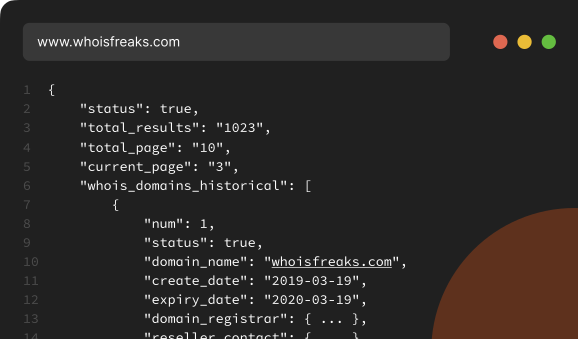
curl -X GET 'https://api.whoisfreaks.com/v2.0/whois/reverse?keyword=whoisfreaks&apiKey=API_KEY'
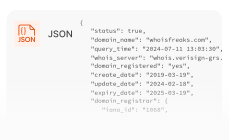
[
  {
    "total_Result": 6,
    "total_Pages": 1,
    "current_Page": 1,
    "whois_domains_historical": [
      {
        "num": 1,
        "status": true,
        "domain_name": "whoisfreaks.com",
        "query_time": "2026-07-29 15:39:24",
        "whois_server": "whois.verisign-grs.com",
        "create_date": "2019-03-19",
        "update_date": "2026-02-17",
        "expiry_date": "2027-03-19",
        "domain_registrar": {
          "iana_id": "1068",
          "status": "accredited",
          "registrar_name": "NAMECHEAP INC",
          "normalized_name": "namecheap, inc.",
          "whois_server": "whois.namecheap.com",
          "rdap_server": "https://rdap.namecheap.com/",
          "website_url": "http://www.namecheap.com",
          "email_address": "[email protected]",
          "phone_number": "+16613102107"
        },
        "reseller_contact": {
          "name": "NAMECHEAP INC"
        },
        "registrant_contact": {
          "name": "Redacted for Privacy",
          "company": "Privacy service provided by Withheld for Privacy ehf",
          "street": "Kalkofnsvegur 2",
          "city": "Reykjavik",
          "state": "Capital Region",
          "zip_code": "101",
          "country_name": "Iceland",
          "country_code": "IS",
          "email_address": "[email protected]",
          "phone": "+3544212434"
        },
        "administrative_contact": {
          "name": "Redacted for Privacy",
          "company": "Privacy service provided by Withheld for Privacy ehf",
          "street": "Kalkofnsvegur 2",
          "city": "Reykjavik",
          "state": "Capital Region",
          "zip_code": "101",
          "country_name": "Iceland",
          "country_code": "IS",
          "email_address": "[email protected]",
          "phone": "+3544212434"
        },
        "technical_contact": {
          "name": "Redacted for Privacy",
          "company": "Privacy service provided by Withheld for Privacy ehf",
          "street": "Kalkofnsvegur 2",
          "city": "Reykjavik",
          "state": "Capital Region",
          "zip_code": "101",
          "country_name": "Iceland",
          "country_code": "IS",
          "email_address": "[email protected]",
          "phone": "+3544212434"
        },
        "name_servers": [
          "albert.ns.cloudflare.com",
          "sue.ns.cloudflare.com"
        ],
        "domain_status": [
          "clienttransferprohibited"
        ],
        "registry_data": {
          "domain_name": "WHOISFREAKS.COM",
          "query_time": "2026-07-29 15:39:22",
          "whois_server": "whois.verisign-grs.com",
          "create_date": "2019-03-19",
          "update_date": "2026-02-17",
          "expiry_date": "2027-03-19",
          "domain_registrar": {
            "iana_id": "1068",
            "registrar_name": "NameCheap, Inc",
            "whois_server": "whois.namecheap.com",
            "website_url": "http://www.namecheap.com"
          },
          "name_servers": [
            "albert.ns.cloudflare.com",
            "sue.ns.cloudflare.com"
          ],
          "domain_status": [
            "clienttransferprohibited"
          ]
        }
      }
    ]
  }
]

google
apple
stripe
apifreaks
pricing backgroundEclipse Top RightEclipse Top LeftEclipse WHOIS Stats

Our Products

What is a Reverse Whois API?

Reverse Whois API

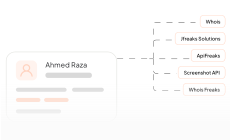
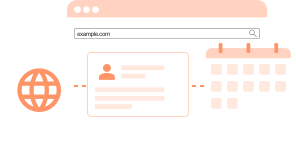
A forward WHOIS lookup starts with a domain and returns the owner. A reverse WHOIS lookup starts with an owner attribute - an email address, registrant name, company name, or domain keyword and returns all domains associated with it.

Our Product

Features

What Can You Search By?

Four search parameters: email, company, registrant name, and domain keyword.

Feature icon

Email Based Lookup

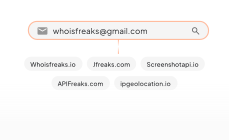
Reverse WHOIS any registrant email, including wildcard patterns such as *@company.com, and list all of its domains.

Feature icon

Company Based Lookup

Reverse WHOIS an organization name to map a company's entire domain portfolio, including brands it never announced.

Feature icon

Registrant Based Lookup

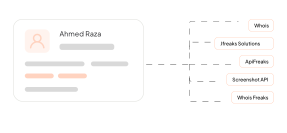
Reverse WHOIS a registrant name to return every domain that a named individual has registered since 1986.

Feature icon

Keyword Based Lookup

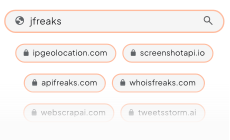
Reverse WHOIS a domain keyword between 3 and 63 characters to surface an entire brand or campaign footprint.

Use Cases

Who Uses the Reverse WHOIS API?

Where teams reach for reverse WHOIS instead of a single-domain lookup.

Feature icon

Data Enrichment

A reverse WHOIS search on a lead's email or company name returns the full domain portfolio for your CRM record.

Feature icon

Domain Registration and Portfolio Analysis

Reverse WHOIS your own registrant email to surface forgotten domains before they lapse.

Feature icon

Threat Intelligence

Reverse WHOIS one malicious domain's registrant email to map the rest of that actor's infrastructure in one query.

Feature icon

Brand Monitoring & Brand Protection

Reverse WHOIS your trademark as a keyword and catch cybersquatted domains before a phishing campaign starts.

Feature icon

Competitive Intelligence

Reverse WHOIS a competitor's organization name to reveal domains they registered before an unannounced launch.

Feature icon

Research & Due Diligence

Check a counterparty's claims with a reverse WHOIS search on their registrant email, using our pre-GDPR era records.

Request demo background

Start with 500 free credits. Search by email, registrant, company, or keyword across 4.1B+ WHOIS records, and page through results in JSON or XML.

Integrations

How Do You Integrate the Reverse WHOIS API?

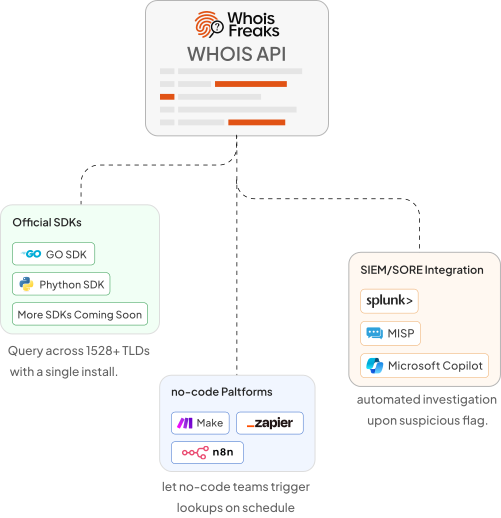
The WhoisFreaks Reverse WHOIS API ships with official Python and Go SDKs, so investigators and brand protection teams can retrieve every domain tied to an email, name, or company across 4.1B+ WHOIS records.

Zapier, Make, and n8n let non-technical teams automate reverse lookups, triggering watchlist pivots whenever a known threat actor email or brand keyword appears in new registrations and routing results to Slack.

Enterprise security operations integrate it into SIEM and SOAR platforms to expand domain indicators during incident response and surface the full registrant infrastructure behind a single malicious domain in real time.

Integration Workflow
Registrant Monitoring

Registrant Monitoring

Get a daily alert whenever a name, email, or company you track registers another domain anywhere.

Registrant Monitoring
WHOIS API

WHOIS API

Pull the complete live WHOIS record for any domain that your reverse search returns, in JSON or XML.

WHOIS API
WHOIS History API

WHOIS History API

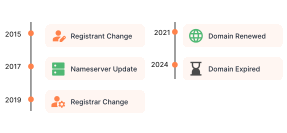
See who owned a domain before the current registrant, with every recorded change dated back to 1986.

WHOIS History API

FAQs

FAQs about the Reverse WHOIS API: endpoints, parameters, response fields, and rate limits.

Can I perform a search on WHOIS records based on email address in reverse API?

Yes, you can search for WHOIS information using an email address. The email parameter allows you to retrieve domains associated with a specific email address. Please note that this search is limited to publicly available email addresses. The search is precise, so make sure to input the complete and exact email.

How do you perform a search using "company" parameter on WHOIS data in reverse API?

The company parameter enables you to search for domain WHOIS data based on a publicly available company name. Simply input the company name, and the API will return domains associated with that company using search based query. For example, if you enter "meta", the API will return all domains that are owned by companies with word "meta" in their names.

How do you perform a search using "owner" parameter on WHOIS data in reverse API?

With the owner parameter, you can search for domain WHOIS data based on the name of the domain owner that will be publicly available in records. Enter the owner's name, and the API will provide a list of domains linked to that owner using search based query. For example, if you enter "michael", the API will search that name in full name of the owner.

What is the "exact" match parameter in reverse WHOIS?

The "exact match" parameter is an optional feature in reverse WHOIS searches. When used with keywords, company names, or owner names, it ensures that the search results match the exact terms entered. This helps users find more precise and relevant information by filtering out results that don't perfectly align with the query.

Note: The "exact match" parameter can only be used with keywords, owner/registrant names, or company names. It is not applicable for email addresses, meaning you cannot use exact match to filter results based on email addresses.

How can I perform a regex-based search for email addresses in reverse WHOIS?

To search for email addresses using regex in reverse WHOIS, use the 'email' parameter with regex patterns. The 'email' parameter supports:

  • Exact match: Allows you to search for specific email addresses exactly as entered, such as [email protected] or [email protected]. This will return results that match these email addresses precisely.
  • Regex match: Enables more flexible searches using patterns to match a range of email addresses. For example, g***@outlook.com can match addresses like [email protected], and q*.l*@gmail.com can match addresses such as [email protected] or [email protected]. This approach accommodates variations within the specified pattern.

Note: Regex matching is only available for email addresses. For keywords, owner/registrant names, or company names, use the optional parameter exact set to 'false', or omit it as it defaults to 'false'.

What are the length limitations for the keyword parameter in reverse WHOIS API queries?

When using the keyword parameter in reverse WHOIS API queries, the keyword should be a minimum of 3 letters and a maximum of 63 letters.

Is the search case-insensitive?

Yes, all searches conducted through the reverse WHOIS api are case-insensitive. This ensures that your queries are not affected by the letter case of your input.

Can I combine multiple parameters in a single request in reverse WHOIS api?

Currently, the reverse WHOIS api supports using only one parameter per query. If you want to perform a more specific query, you can refine your query by using the appropriate parameter that best matches your criteria.

Do you offer pagination for the reverse WHOIS API, and how many records are provided per page?

Yes, we offer pagination for the reverse WHOIS API. Currently, we provide two modes for the reverse WHOIS api: the default mode and the mini mode. In the default mode, we provide 50 records per page, allowing you to retrieve a comprehensive list of domain WHOIS data. In the mini mode, we offer 100 records per page, which is ideal for users who prefer a more concise display of data. We provide only domain name, creation date, expiry date, update date , owner's name, company and email in mini mode.

How is the Reverse WHOIS API different from the free Reverse WHOIS Lookup tool?

The free Reverse WHOIS tool returns the top results for a single search in the browser. The API returns the complete result set, paginated at 50 or 100 records per page, so you can export a full domain portfolio or run searches on a schedule. Both query the same 4.1B+ record index.

Can I find domains registered before GDPR redaction?

Yes. The index includes records predating the 2018 changes brought in by the EU General Data Protection Regulation, so a reverse search can return registrant details for domains whose current WHOIS shows REDACTED FOR PRIVACY. Coverage depends on what was public at the time the record was captured.